.jpg)

.svg)
.svg)
.svg)
Most invalid email address errors don’t come from big mistakes. They come from small things people overlook while typing, copying, or auto-filling an email field.
These issues often go unnoticed because the email looks fine at first glance. But in reality, one minor slip is enough to block sign-ups, break delivery, or quietly damage data quality.
Understanding these small mistakes makes it easier to spot problems early and fix them before they affect forms, campaigns, or user experience.
What Is An Invalid Email Address?
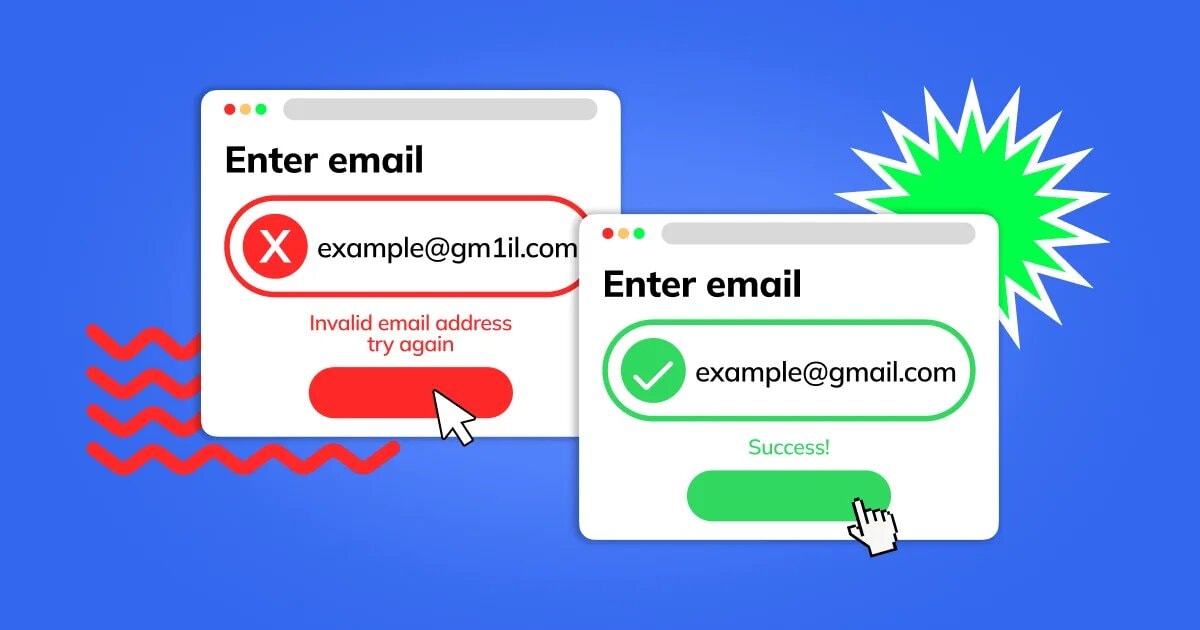
An invalid email address is one that cannot receive emails reliably or at all. It may look correct at first glance, but it fails basic structure, domain, or delivery checks that email systems rely on.
At its core, a valid email address follows a simple structure and connects to an active mail server. When any part of this chain breaks, the address becomes invalid and email delivery stops before it even begins.
Common reasons an email address is considered invalid
- The format does not follow standard email rules
- The domain does not exist or cannot receive mail
- The address contains extra characters or hidden spaces
- The email server rejects incoming messages
Example
- Valid: name@example.com
- Invalid: nameexample.com, name@domain, name@domain..com
An invalid email address is not always fake or intentional. In many cases, it is created by small input errors or system-level checks that catch issues early.
Understanding what makes an email address invalid sets the foundation for seeing how these errors impact delivery, engagement, and campaign performance in real-world use.
How Invalid Email Addresses Affect Email Deliverability And Campaign Performance?
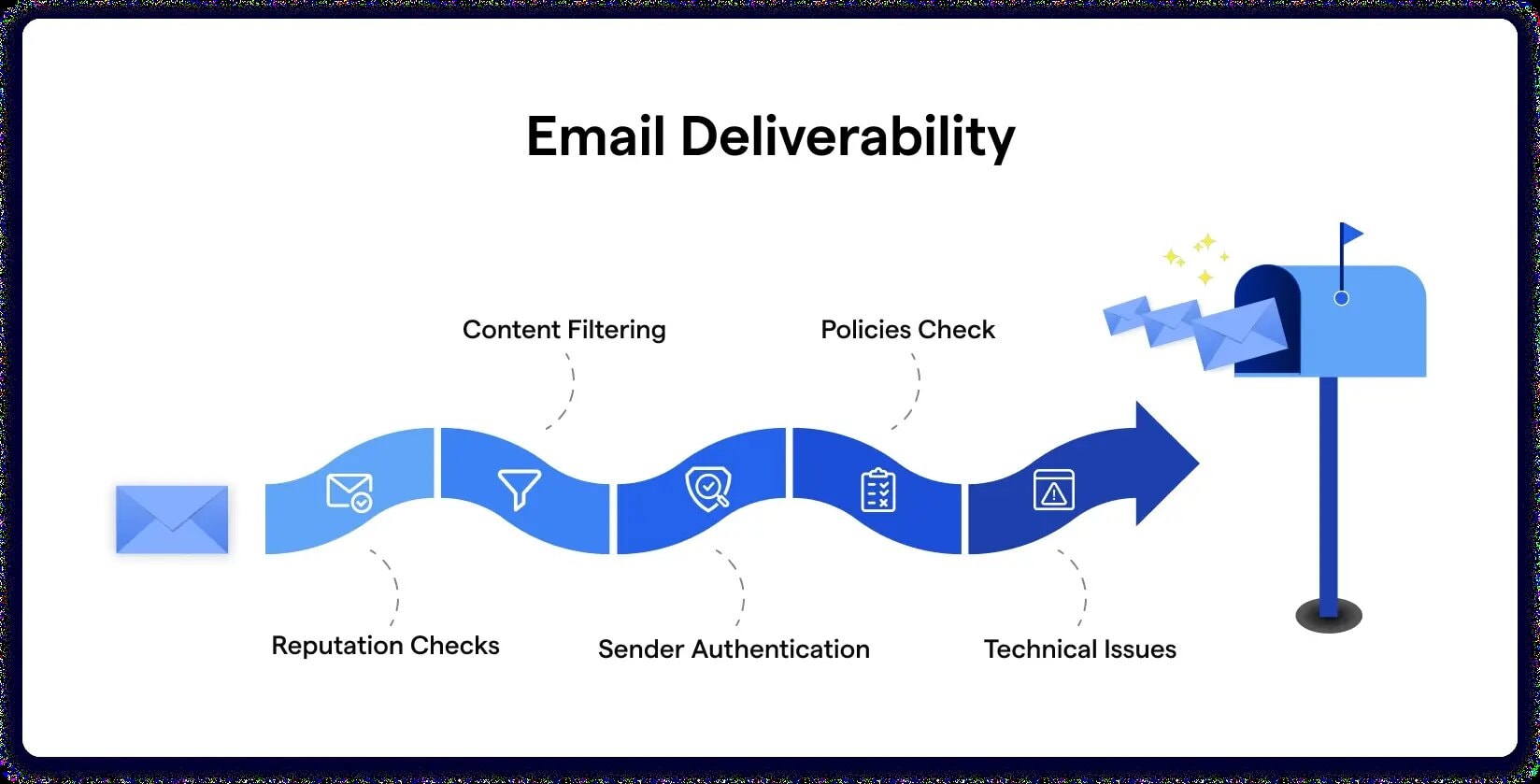
Invalid email addresses do not just bounce, they leave a trail. Email providers read bounces as a signal of list quality, and repeated sending to invalid contacts can reduce inbox placement even for your valid subscribers.
Over time, this turns into a performance leak, fewer emails land, fewer people engage, and campaigns start underperforming even when the copy and offer are solid.
Deliverability impact
- Higher bounce rate triggers filtering and throttling
- Sender reputation drops when invalid sends pile up
- Inbox placement falls, more emails land in spam or promotions
Campaign performance impact
- Open rates fall because fewer emails reach inboxes
- Click and conversion rates drop due to smaller real reach
- Reporting gets distorted, it looks like content failed, when delivery failed
Example
If 8 percent of a 10,000 list is invalid, that is 800 guaranteed failures, and the damage is not only the lost reach, it is the reputation hit that can reduce delivery for the other 9,200 too.
Once you see how invalid email addresses hurt results quietly, it becomes easier to focus on the exact mistakes that create them and how to fix each one.
10 Common Causes Of Invalid Email Address And How To Fix Them

These are the small mistakes that quietly create an Invalid Email Address, along with the simplest way to correct each one. Keep this section skimmable, because most readers will use it like a checklist.
1. Missing Or Incorrect “@” Symbol
The “@” symbol separates the user name from the domain. Without it, an email address cannot route messages to the right server.
Why This Happens
- Typing too fast during sign-up
- Accidental deletion while editing
- Copy-paste errors from notes or documents
How To Fix It
- Recheck the email structure before submitting
- Ensure exactly one “@” appears in the address
- Manually retype the email instead of pasting
2. Invalid Email Address Format
Every email address follows a basic structure. When this structure breaks, systems flag it as invalid even if it looks close enough.
Why This Happens
- Missing username or domain section
- Incorrect placement of dots or symbols
- Custom formats that do not follow standards
How To Fix It
- Follow the standard format name@domain.com
- Avoid placing symbols at the start or end
- Use simple characters unless clearly supported
3. Misspelled Or Non-Existent Domain Name
An email may look correct but still fail if the domain does not exist or is spelled wrong. For marketers looking to improve their re-engagement email campaigns, ensuring accurate email addresses is crucial to avoid deliverability issues.
Why This Happens
- Common typos like gmial.com or yaho.com
- Assuming a company domain without checking
- Old domains that are no longer active
How To Fix It
- Double-check the domain spelling
- Visit the domain in a browser to confirm it exists
- Use widely recognized domains when possible
4. Missing Top-Level Domain (TLD)
The top-level domain is the ending part like .com, .net, or .org. Without it, the address remains incomplete.
Why This Happens
- Forgetting to add the ending while typing
- Autofill inserting only part of the address
- Assuming the system will complete it automatically
How To Fix It
- Confirm the email ends with a valid TLD
- Avoid submitting partial domains
- Re-enter the address if autofill cuts it short
5. Extra Spaces Or Hidden Characters
Spaces or invisible characters can break validation even when the email looks fine on screen.
Why This Happens
- Copying emails from documents or spreadsheets
- Accidental space before or after the address
- Formatting characters added during paste
How To Fix It
- Delete and retype the email manually
- Remove spaces before submitting
- Paste into a plain text field first if needed
6. Use Of Restricted Or Invalid Characters
Some characters are not allowed in email addresses and trigger immediate validation errors.
Why This Happens
- Adding commas, slashes, or brackets
- Using special symbols not supported by email rules
- Mixing formatting characters with text
How To Fix It
- Stick to letters, numbers, dots, and hyphens
- Avoid decorative or copied symbols
- Simplify the address to its core elements
7. Multiple Dots Or Consecutive Special Characters
Repeated dots or symbols can break how mail servers read an address.
Why This Happens
- Typing errors during fast entry
- Incorrect formatting habits
- Copying auto-generated usernames
How To Fix It
- Remove extra dots or symbols
- Ensure dots are placed only where needed
- Keep the username section clean and readable
8. Disposable Or Temporary Email Address
Temporary email services are often blocked to protect data quality and security.
Why This Happens
- Using quick sign-up email generators
- Avoiding inbox clutter
- Testing forms with temporary emails
How To Fix It
- Use a permanent, accessible email address
- Avoid one-time inbox services
- Choose an email you can access later
9. Role-Based Email Address Restrictions
Some systems block role-based emails like admin@ or support@ to ensure personal accountability.
Why This Happens
- Business sign-ups using generic inboxes
- Shared team email addresses
- Platform rules against non-personal emails
How To Fix It
- Use a personal name-based email address
- Check platform rules before submitting
- Reserve role-based emails for internal use
10. Autocomplete Or Browser-Saved Email Errors
Browsers sometimes fill outdated or incorrect email values without notice.
Why This Happens
- Old saved email entries
- Multiple accounts stored in the browser
- Partial autofill suggestions
How To Fix It
- Clear or update saved autofill data
- Manually type the email when unsure
- Review the filled address before submitting
Most invalid email address issues come down to small, correctable details that quietly slip through everyday inputs. Once these patterns are clear, fixing them becomes less about tools and more about consistency in how email data is collected and maintained.
This foundation makes it easier to shift from reactive fixes to smarter validation practices that support long-term accuracy and reliability.
How To Prevent Invalid Email Addresses From Entering Your Email List?

Bad emails usually enter your list at the same two points, sign-up forms and manual imports. The fix is not one big tool, it is a few small guardrails that stop mistakes before they become bounces.
1. Validate Email Format At The Moment Of Entry
A quick format check catches obvious issues like missing “@”, spaces, or a broken domain.
How To Do It Right
- Use email field validation at form level
- Block spaces and trim inputs automatically
- Show a clear error message next to the field
Example
If someone types name@gmail, prompt them to add .com before they can submit.
2. Add Real-Time Checks Beyond Basic Format
Some addresses look fine but still fail, like fake domains or disposable emails.
How To Do It Right
- Check domain exists and has valid mail records
- Flag temporary email providers if your use-case needs it
- Catch common typos like gamil.com, gnail.com
3. Use Double Opt-In For High-Value Lists
Double opt-in filters out typos and protects list quality because the user must confirm the inbox works.
How To Do It Right
- Keep the confirmation email short and easy
- Confirm the email first, then ask for more details later
4. Stop Bad Emails At The Source, Not In Your Campaign
If your sign-up form lets anything in, your ESP ends up doing damage control.
How To Do It Right
- Validate on the front end and the back end
- Log rejected entries so you can spot patterns
5. Set Clear Rules For Imports And Manual Adds
A clean list can get messy fast when CSVs and copy-paste become routine.
How To Do It Right
- Reject imports with missing domains or invalid formatting
- Require a “source” column for every imported contact
- Verify older lists before you upload them
6. Keep A Suppression List For Known Invalid Emails
Some addresses will always bounce. Treat them like locked doors, do not keep knocking.
How To Do It Right
- Auto-suppress hard bounces
- Never re-add suppressed contacts through imports
7. Make Your Form Error Message Actually Helpful
A vague “invalid email” message wastes time. A specific message fixes the issue faster.
How To Do It Right
- Say what is wrong, and what to correct
- Keep it short, direct, and field-specific
When these guardrails are in place, list cleaning becomes a maintenance task, not a rescue mission, and that sets up the next step, cleaning invalid email addresses from existing email databases with less guesswork.
Steps To Clean Invalid Email Addresses From Existing Email Databases
Email databases grow over time, and not every address ages well. Cleaning existing email records is about restoring accuracy, protecting deliverability, and keeping your data usable for future campaigns. The process works best when done in clear stages, not rushed actions.
1. Audit The Size And Source Of The Existing Email Database
Start by understanding what you are working with. Knowing how big the database is and where each email came from sets the foundation for every decision that follows.
What To Review: When conducting a thorough audit, it is essential to include email address validation and verification as a key aspect to ensure the accuracy and effectiveness of your email lists.
- Signup forms, lead magnets, checkout flows
- Imports from CRM tools or past campaigns
- Purchased or third-party lists, if any
This step helps you spot risk early and decide how strict your cleaning rules need to be.
2. Separate Active, Inactive, And Legacy Email Records
Not all emails deserve the same treatment. Segmenting records based on activity brings clarity before removal begins.
How To Segment
- Active emails with recent opens or clicks
- Inactive emails with no engagement over time
- Legacy records collected years ago
Clear separation prevents accidental loss of valuable contacts.
3. Analyze Historical Bounce And Delivery Data
Bounce data tells the real story of list health. Past delivery behavior reveals which addresses repeatedly fail.
What To Look For
- Hard bounces tied to invalid domains
- Repeated delivery failures from the same addresses
- Patterns across campaigns rather than one-off issues
This step ensures decisions are based on behavior, not assumptions. For example, understanding the three main components of an email can help ensure your communication is more effective.
4. Identify Emails With No Recent Engagement Signals
Engagement shows whether an email address is still alive and relevant. Lack of interaction over long periods often signals decay.
- No opens
- No clicks
- No replies across multiple campaigns
These records may need re-verification or removal depending on campaign goals.
5. Suppress Addresses With Repeated Hard Bounce History
Hard bounces rarely recover. Suppressing these addresses protects sender reputation and prevents future delivery damage. For more on improving deliverability, see this list of hosts and their email sending limits.
Why This Matters
- Email providers track repeated failures
- Continued sending lowers trust signals
- Suppression improves overall list performance
This step delivers immediate deliverability benefits.
6. Isolate Imported Or Third-Party Email Lists
Imported lists often behave differently from organically collected ones. Isolating them avoids cross-contamination.
- Never merge imported lists directly into active campaigns
- Test separately before any broader use
This keeps your primary database clean and reliable.
7. Run Bulk Email Verification On Remaining Contacts
Once high-risk segments are isolated, verification tools help confirm which addresses are still deliverable.
What Verification Checks
- Syntax accuracy
- Domain validity
- Mail server response
This step refines the list without manual guesswork.
8. Create A Clean Primary List And A Secondary Review List
Not every email needs immediate deletion. Splitting lists allows flexibility without clutter.
List Structure
- Primary list for confirmed, active emails
- Review list for borderline or recently inactive contacts
This keeps campaigns focused and controlled.
9. Remove Or Archive Emails That Fail Re-Verification
Emails that fail verification consistently add no value. Archiving them preserves records without harming performance.
When To Remove
- Failed multiple verification checks
- No engagement history
- Repeated delivery failures
This keeps the active list lean and dependable.
10. Document Cleaning Rules For Ongoing List Maintenance
A clean list stays clean only when rules are clear. Documenting standards prevents future decay.
What To Document
- Bounce handling rules
- Re-verification frequency
- Import guidelines
This turns cleaning into a repeatable system, not a one-time task.
The cleaning process brings structure back to your data, but long-term results depend on preventing bad entries from appearing in the first place.
The Long-Term Impact Of Email Address Validation On User Experience And Data Quality
Email address validation pays off long after the first sign-up. It keeps your systems cleaner, your emails more reliable, and your users less likely to hit errors that make them abandon the process.
Over time, it turns email data from a messy input field into something you can trust across campaigns, support, product updates, and analytics.
What Improves For Users
- Fewer form errors: users do not get stuck on “invalid email address” loops during sign-up.
- Faster account access: logins, OTPs, and password resets land where they should.
- Clearer trust signals: smoother onboarding makes your product feel more dependable.
What Improves For Data Quality
- Cleaner customer records: fewer duplicates, fewer junk entries, fewer “ghost” contacts.
- More accurate reporting: conversion rates, retention, and attribution stop getting distorted by bad emails.
- Better segmentation: targeting works because the base list is real, not inflated.
What Improves For Email Performance
- Lower bounce rates: fewer hard bounces mean fewer deliverability penalties.
- Stronger sender reputation: inbox placement improves when bad addresses are filtered early.
- More reliable automation: lifecycle flows work because emails reach real people.
Example
If 5 percent of your list is invalid, every campaign result is slightly fake, open rates look worse, conversions look lower, and you spend time chasing “low performance” that is actually data noise.
Validation is not a one-time checklist, it is the quiet system that keeps your email program, your product flows, and your reporting aligned as you scale.
Conclusion
Small email mistakes rarely feel urgent in the moment, yet they shape how systems perform over time. Correcting them early keeps sign-ups smooth, data reliable, and communication consistent.
The practical step now is simple: treat email accuracy as part of everyday hygiene, not a one-time fix. That mindset makes every form, campaign, and list stronger by default.