.jpg)

.svg)
.svg)
.svg)
Silence after an email is not confusing, it is information. It tells you the message did not create enough clarity or urgency to move the reader.
Most people say “I haven’t heard back from you since my last email” because timing, structure and purpose were never aligned. Fixing these elements makes your message easier to answer and harder to ignore.
These ten practical corrections show you how to write with precision so every note you send earns the attention it deserves.
What Leads To The “I Haven’t Heard Back From You” Situation In The First Place?

People often worry they haven’t heard back from someone because messages get buried or lose context. Small communication gaps quickly turn into longer delays, leaving the sender unsure whether the email reached the right place.
Understanding why you haven't heard from the other side helps you see what actually creates the silence. This is where the pattern begins to reveal itself.
How This Situation Usually Starts
- Your email lands between promotions, newsletters and internal updates.
- The subject line feels generic when scanned quickly.
- The message looks long, so the reader saves it for later and never returns.
- The email shares information but does not signal that a reply is needed.
These small choices seem harmless, yet they reduce how visible your message is in a crowded inbox. The silence that follows often reflects the environment, not the intention.
Gaps Between What You Expect And What They See
- You expect a fast reply, while they check that inbox only a few times a week.
- You treat the message as a priority, while they juggle competing tasks.
- You remember every detail, while they barely recall the thread without reopening it.
This mismatch shapes the quiet pause you experience. The delay is usually a result of different rhythms rather than a lack of interest.
Early Signs That Silence Was Likely
- The main point was not clear in the first two lines.
- Several requests were packed into one email.
- The tone felt formal and distant instead of simple and direct.
These are the patterns that push your message out of view. Once you understand them, the next step is seeing why people ignore or delay your follow up email after no response and how those delays take shape.
Key Reasons People Ignore Or Delay Your Follow Up Email After No Response
Your follow up email after no response might be delayed because the recipient is overwhelmed, unsure how to respond or waiting for more clarity before replying. Messages without a clear angle often slip to the bottom of their inbox.
Once you understand how the recipient processes your email, you can adjust your approach. This opens the way for a more realistic view of their pause.
How The Recipient Sees Your Email
- They scan for tasks that are urgent, visible and simple, and your note may not match these cues.
- The subject line feels neutral, so it blends into the inbox instead of standing out.
- The preview text does not reveal what the follow up email is asking for in the first place.
When these conditions line up, a reply becomes easy to postpone. Your follow up emails compete with deadlines, internal threads and other tasks that signal urgency more clearly.
Why A Reply Feels Hard To Send
- The email asks for more than one decision, which takes extra effort to answer.
- They do not have the update you want, so they wait until they can give a complete response.
- The request feels important, which raises the pressure to reply correctly.
A common example is a client who receives a follow up that combines feedback, approvals and scheduling. They intend to reply, but because each part requires thought, they delay it until they have uninterrupted time.
Hidden Doubts That Slow Their Response
- They are unsure whether they are the right person to answer the message.
- They feel awkward returning to a thread they think they forgot for too long.
- They are unclear about what a helpful reply looks like and hesitate as a result.
These factors shape the pause you experience. Once you see how these delays form, the next step is understanding how to write a follow up email that gets a clear, confident response.
10 Steps To Write A Follow Up Email That Gets A Response
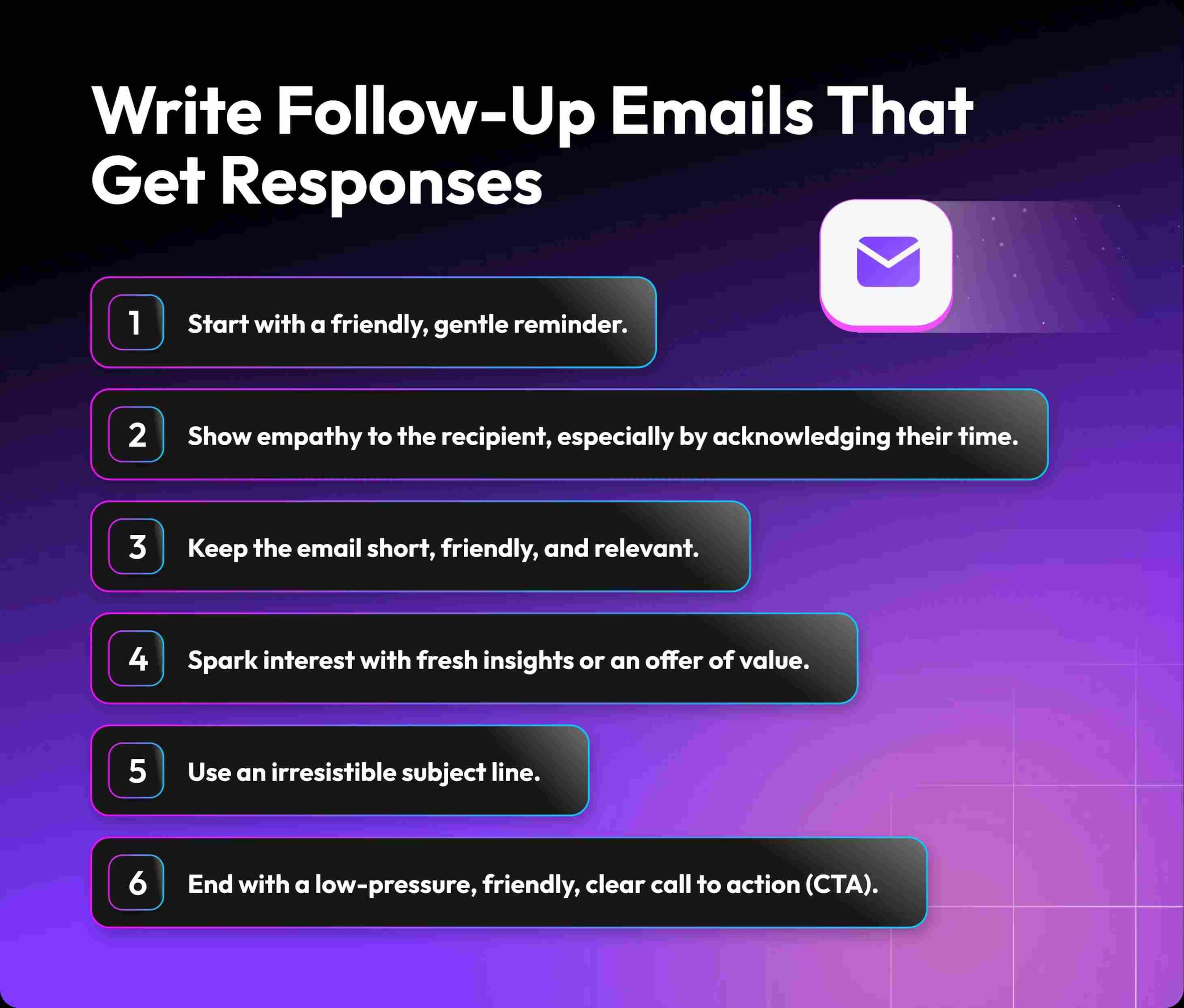
A strong follow up starts with understanding how to write a structure that feels clear and respectful. When you frame your email with purpose, context and intention, your message becomes easier to act on. People respond when they know what to do and why it matters.
This sets the foundation for the way each step shapes your final draft.
1. Identify Your Purpose
A clear intention helps shape your follow up email and prevents confusion. When you know why you are writing, your message becomes direct and easier to act on. This is where understanding in a follow up begins to guide your clarity.
You can clarify your purpose by asking:
- Am I seeking a decision, an update or a simple acknowledgment
- Do I want to move the project ahead or close the loop politely
- What would a useful, single line reply look like from their side
When your purpose is clear in your own mind, every sentence starts working harder for you.
2. Reference The Previous Email
Pointing back to your earlier message helps the reader reconnect with the thread quickly. A simple reminder keeps your request relevant and respectful. This is especially helpful when you need a polite follow up that feels natural rather than repetitive.
You can reference the earlier email by:
- Naming the date or subject of your last message in one short line
- Summarising the core point in fewer than fifteen words
- Linking your new note to that earlier context instead of starting from zero
For example, “I am following up on my email from Monday about the design review” is enough to anchor the thread.
3. Add Clear Context In One Line
Giving context in one line helps the recipient understand exactly what you need. It avoids long explanations and keeps your message focused. This clarity is essential when you want to create a call to action that feels effortless.
Useful context lines often:
- Mention the project, task or decision in simple language
- State why you are reaching out at this moment, not in general
- Connect your request to a concrete outcome, not a vague idea
Think of this line as the lens that makes the rest of your message easier to read.
4. State The Value Or Benefit
A short explanation of how your message helps the recipient increases your chance of getting noticed. When your email highlights value, replies come faster and with less friction. Strong relevance is what makes your note feel like a clear call to progress.
You can express value by focusing on:
- Time saved if they respond now instead of later
- Risk avoided, such as missing a deadline or blocking other work
- A positive gain, like closing a task, signing off a draft or freeing a slot
Even a single line that shows how the reply helps them can shift your email up their list.
5. Use A Single CTA
A single request helps the reader decide faster without feeling overwhelmed. Keeping one direction makes your message stronger and easier to complete. This structure also turns your CTA into a clean clear call to action that moves things forward.
When choosing your CTA, try to:
- Ask for one decision, not three
- Offer one link or one document, not a cluster of options
- Use direct verbs like confirm, choose, approve or reply
If the task takes less than a minute, your chances of a quick response rise sharply.
6. Keep The Tone Polite And Direct
A respectful tone builds trust and keeps the conversation steady. Being polite does not dilute your message but strengthens clarity. This balanced approach is what makes a follow up email feel helpful rather than pushy, especially after a quiet pause.
To keep tone balanced, you can:
- Open with a simple, warm line without long small talk
- Use direct sentences without sounding sharp or impatient
- Avoid heavy apologies and keep the focus on the next step
These choices turn a polite follow up email into a message that feels firm, kind and easy to reply to.
7. Add A Light Prompt Like “Let Me Know If”
Gentle prompts create space for a response without pressure. They make your message feel considered and easy to reply to. Using a soft line here respects the reader while helping your request land naturally, especially when shaping of the overall tone.
Light prompts work well when they:
- Offer a clear option, such as yes or no, rather than an open question
- Invite the reader to correct or redirect you if needed
- Make it safe for them to say they need more time or context
A prompt like “Let me know if this timeline works for you” nudges action without demanding it.
8. Keep The Email Under 120 Words
Short messages respect time and get processed faster. Fewer words mean fewer distractions and clearer intent. Sticking to this length also prevents unnecessary details from crowding your message, allowing you to guide the reader with wanted to follow up clarity.
You can stay under 120 words by:
- Limiting yourself to three or four short paragraphs
- Removing phrases that repeat what the subject line already says
- Checking every sentence for a clear role in your message
A compact email feels lighter, so it reaches the reply stage sooner.
9. End With Your Name And One Signature Line
A simple signature makes your email feel complete and professional. It avoids clutter and keeps the message clean. This structure also helps build recognition and trust, which matters when you want the reader to feel grounded with a clear close.
Strong signatures usually include:
- Your full name and one role or team reference
- One contact line, such as phone or website, not a large block
- A calm close such as “Best regards” or “Thank you for your time”
This keeps the focus on the content of your request, not on a heavy footer.
10. Set A Follow Up Timing Plan
Your timing plan keeps your communication consistent and prevents overcontact. Well spaced messages show respect and intention. Understanding when to reach out helps you avoid unnecessary pressure and builds a steady rhythm in how you choose to follow up on earlier messages.
A simple timing plan can:
- Define how many follow ups you will send before you stop
- Set gaps, such as three days, seven days and then a final note
- Adjust slightly for high stakes conversations that need closer attention
Once these ten steps feel natural, they turn into a quiet system that guides every message you send. They also make any follow up email templates easier to adapt, so the next section can focus on real situations where you have not heard back and need words that are ready to use.
“Try Alore to automate smarter follow ups without sounding robotic.”
Templates You Can Use When You Haven’t Heard Back From Someone
Follow up emails that feel tailored to the moment help the reader understand why you’re reaching out again. Templates based on specific situations let you match tone, pacing and clarity without sounding repetitive or uncertain.
These tailored angles turn a general reminder into a message that feels relevant. Each template here builds directly on the scenario it addresses.
1. Sharing Important Information
When you share key details, your message needs clarity and purpose. A structured approach helps the reader see why your note matters right now. Using thoughtful framing creates space for a quick reply, especially when you aim following up after essential updates.
When to use this
- You shared new information that affects decisions.
- You updated timelines or instructions.
- You want a simple confirmation that they received your note.
2. Sending A Proposal Or Quote
Proposals need clarity and confidence. Your message should make the next step unmistakable. When you express value clearly, decision makers respond faster and with fewer doubts. This is the space where knowing should you send a reminder becomes relevant.
Template
When to use this
- They reviewed the proposal but have not responded.
- The next stage depends on their approval.
- You need clarity on whether the proposal is still active.
3. Job Application Or Interview
Career messages require precision and respect. A brief, confident tone reflects professionalism and interest. When you remind them of your earlier interaction, you guide the reader back to your application. This is especially useful when shaping what comes next to hearing from you soon.
Template
When to use this
- You completed an interview and are waiting for feedback.
- You applied for an open role and the timeline has passed.
- You want to show steady interest, not urgency.
4. Sales Outreach Email
Sales messages work best when they focus on solving a problem. Offering value creates momentum and positions your email as helpful rather than intrusive. This approach also defines how you shape following up on my earlier outreach with purpose.
Template
When to use this
- You contacted them about a clear problem your solution fixes.
- They opened your email but did not reply.
- You want to stay helpful, not forceful.
5. Requesting Documents Or Missing Details
Requests need clarity and simplicity. A short explanation helps the reader understand exactly what you need and why. When you keep it straightforward, you improve your chance of getting quick support and guide your message first follow up email with confidence.
Template
When to use this
- A pending file is blocking your next step.
- You already asked once.
- You need a simple yes or no.
6. Scheduling A Meeting Or Call
Meeting requests benefit from clarity, flexibility and timing. When you offer clear options, the recipient can respond without friction. Your message becomes easy to approve when your tone reflects readiness and intention, allowing your note to get a response with ease.
Template
When to use this
- You need clarity that requires a live discussion.
- They have not replied to your initial meeting request.
- You want to reduce their decision load.
7. Work Updates Or Deliverables
Work updates must be brief and structured. Framing your message well reminds the reader of what has progressed without overwhelming them. This thoughtful approach strengthens collaboration and shapes how naturally you address follow up on my earlier updates.
Template
When to use this
- Your next step depends on their approval.
- You want to keep the project moving.
- You want to avoid long threads.
8. When Someone Promised A Response
When someone has already agreed to reply, your message must stay calm and respectful. A gentle reminder keeps the conversation steady without sounding demanding. This clarity aligns your tone with patience, reinforcing that you are mindful if you have any pending points together.
Template
When to use this
- They committed to a reply date.
- That date passed recently.
- The matter is still active.
9. When Multiple Attempts Have Failed
Repeated follow ups need caution and clarity. A measured tone prevents frustration and keeps your message professional. At this stage you focus on closing the loop calmly, guiding the reader toward resolution while respecting their time and shaping if you are setting the final boundary.
Template
When to use this
- You already made two or three attempts.
- You want to end the thread politely.
- You want to keep the door open.
Once these templates become familiar, you can shape each one quickly for any real situation. The next section explores the most common errors people make while sending a follow up email and how to avoid weakening a strong message with preventable mistakes.
“Alore helps you write follow ups that sound human and land more responses.”
The Most Common Errors People Make While Sending A Follow Up Email
Many follow up emails fall flat because they repeat the same lines or end with phrases like you have any questions that do not inspire action. Small mistakes in tone, structure and timing weaken the intention behind your message.
Once you identify these errors, your emails become sharper and more confident.
1. Writing Long, Unfocused Paragraphs
Long paragraphs make your message hard to skim and easy to ignore. Short, focused lines show clarity and intent. Refining your structure prevents the reader from missing the point and reinforces how easily you can guide them without relying on i wanted to wordiness.
How this shows up
- You explain the backstory in long blocks.
- The main request appears only near the end.
- The reader must hunt for what you need.
Fix it by
- Limiting each paragraph to one idea.
- Putting the main request in the top half.
- Cutting words that do not change meaning.
A good test is whether someone can understand your request in less than ten seconds.
2. Sounding Apologetic Or Uncertain
Overapologizing weakens your message and signals doubt. Confidence, not pressure, encourages replies. A balanced tone helps you sound professional and composed, guiding the reader naturally without adding unnecessary phrases like please let me know too early.
How this shows up
- You start with “Sorry to bother you again.”
- You apologise instead of stating your purpose.
- You end with too many softeners.
Fix it by
- Using neutral, respectful language.
- Stating your reason for writing clearly.
- Keeping one calm closing line.
A confident tone helps the reader respond without hesitation.
3. Using A Weak Or Vague CTA
A vague CTA leads to confusion and delayed replies. Clear direction strengthens your message and gives the reader an easy next step. When your intention is unmistakable, your communication gains momentum that supports the way of follow up emails should function.
How this shows up
- You end with “Thoughts” or “What do you think.”
- You ask several questions at once.
- The reader cannot see the next step.
Fix it by
- Asking for one specific action.
- Giving a simple time frame.
- Making the reply possible in one line.
A strong CTA feels like a clear doorway, not a list of choices.
4. Not Adding Any New Value In The Message
Repetition without purpose leads to silence. Each follow up must give something useful, whether clarity or context. Value helps renew attention and encourages action, reflecting the mindset needed following up on earlier messages with intention.
How this shows up
- You resend the same email with “just following up.”
- You repeat the request with no update.
- The email feels like a reminder instead of support.
Fix it by
- Adding new information or progress.
- Explaining what changed since your last note.
- Showing how their reply moves the work forward.
Even a single line of relevance makes a follow up worth opening.
5. Following Up Too Soon Or Too Late
Timing shapes how your email is perceived. Too soon feels rushed, too late feels forgotten. A measured rhythm helps create trust and keeps the exchange balanced. When timing aligns naturally, it reinforces whether that you are reaching out thoughtfully.
How this shows up
- You follow up within hours.
- You wait weeks, then expect a quick response.
- Your timing does not match the topic.
Fix it by
- Waiting a few business days.
- Leaving longer gaps for low stakes topics.
- Matching timing to any deadlines mentioned.
Thoughtful timing helps your email feel intentional, not reactive.
6. Using A Generic Subject Line
Generic subject lines get ignored because they lack context and urgency. A specific, relevant line helps your message stand out immediately. This detail builds recognition and encourages action, shaping the clarity needed with a meaningful subject.
How this shows up
- You write “Checking in” without detail.
- The subject matches your last email exactly.
- Nothing in it hints at the main point.
Fix it by
- Naming the topic or request.
- Adding a light time cue.
- Matching the subject to the request inside.
A good subject line signals value before the email is opened.
7. Overusing Phrases Like “Just Following Up”
Repetition weakens impact and makes your email feel routine. Fresh wording draws attention and signals intention without pressure. Adjusting your phrasing supports better engagement and keeps your tone steady even when after a period of silence.
How this shows up
- Every email begins with the same phrase.
- The phrase appears in the subject and body.
- Your message sounds generic rather than personal.
Fix it by
- Starting with the purpose.
- Using varied openings.
- Letting your request show the follow up intent.
Clarity replaces the need for filler phrasing.
8. Not Mentioning The Previous Email Clearly
If the reader must search for context, your message loses momentum. Referencing your prior note helps reconnect the thread quickly. This clarity saves time and strengthens recall, supporting a smoother exchange when shaping messages in the conversation flow.
How this shows up
- You write as if this is the first email.
- You never mention when you last wrote.
- They must scroll to understand the topic.
Fix it by
- Naming your earlier email in one line.
- Summarising the key point briefly.
- Keeping the thread intact.
Clear reference points turn confusion into continuity.
9. Adding Too Many Attachments Or Links
Extra files slow the reader down and create friction. Simplicity helps your email move faster through their attention span. Streamlined messages feel lighter and easier to respond to, reflecting the clarity you want to follow up on efficiently.
How this shows up
- You attach several documents at once.
- You add many links without context.
- The reader must decide what to open first.
Fix it by
- Limiting yourself to one file or link.
- Explaining the file in one short line.
- Sending extra material only when needed.
Less friction means faster replies.
10. Sending Multiple Emails Without Spacing Them Out
Too many emails in a short timeframe create fatigue. Proper spacing protects the relationship and keeps communication respectful. When timing feels deliberate, your message carries more weight and allows room for the reader with a more relaxed decision point.
How this shows up
- You send daily reminders.
- You follow up across several channels.
- The frequency feels heavy for the topic.
Fix it by
- Planning a small number of follow ups.
- Leaving breathing room between attempts.
- Closing the loop respectfully when needed.
Every mistake here has a simple correction, and once those corrections are in place, the next step is choosing the best CTAs to get replies faster and help you get a clear answer.
Best CTAs To Get Replies Faster And Help You Get A Clear Answer
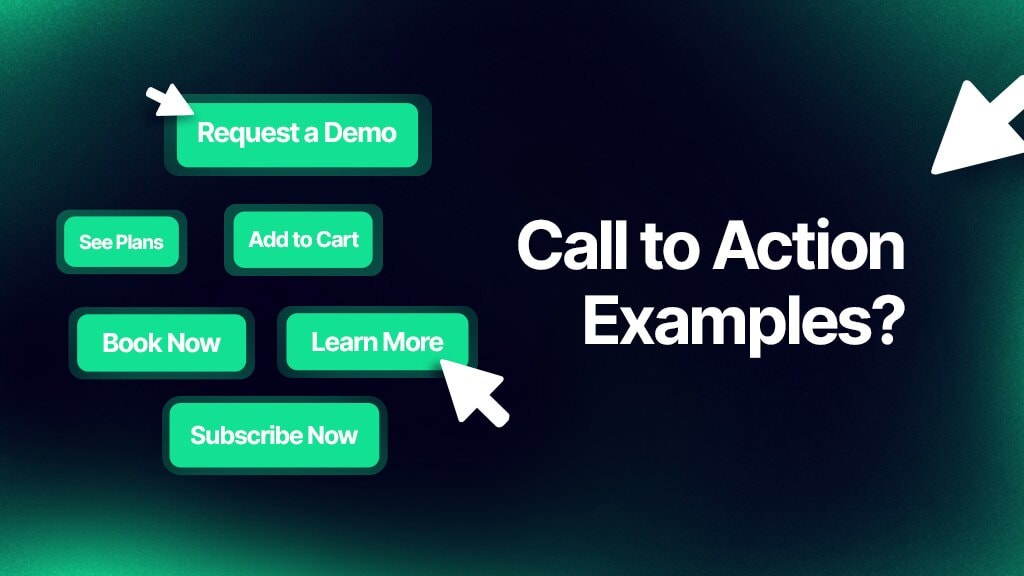
A strong call to action gives the reader a simple choice, and phrases like looking forward to a response guide them gently toward the next step. Your CTA shapes how quickly someone decides to reply. When it feels direct and considerate, the message becomes easier to act on.
1. Decision CTAs For Clear Next Steps
Use these when you need a simple yes, no or choice.
- “Could you confirm if we should move ahead with this version”
- “Can you approve this draft so we can start this week”
- “Would you prefer option A or option B for this rollout”
These lines work well when your message built enough context earlier and the answer only needs a quick decision.
2. Time Bound CTAs For Gentle Urgency
Use these when timing matters but you want to stay calm and respectful.
- “Could you share your thoughts by Thursday so we can keep the schedule steady”
- “If possible, can you confirm this plan sometime this week”
- “Would you be able to send your update today so we can lock the next step”
The time cue helps them place your request among other tasks without feeling pushed.
3. Simple Confirmation CTAs For Quick Replies
Use these when you only need a short sign off or acknowledgment.
- “Could you please reply with a quick yes or no so I know we are aligned”
- “Can you confirm that the details below look correct from your side”
- “A short note to say this works for you would be very helpful”
These CTAs are useful when the main work is already done and you only need closure.
4. Clarification CTAs When Something Feels Unclear
Use these when you suspect the previous email left room for confusion.
- “If anything here feels unclear, could you tell me which part needs more detail”
- “Does this outline match what you had in mind, or should we adjust anything”
- “If this does not fit your current plan, can you share what would be more helpful”
These CTAs invite correction instead of silence, which keeps the thread honest and active.
5. Opt Out CTAs To Reduce Pressure
Use these when you want to close the loop or give them a safe exit.
- “If this is not a priority right now, you can let me know and we can pause this”
- “If this is no longer relevant, a quick note is enough and I will archive the thread”
- “If someone else is better suited for this, please feel free to point me in their direction”
Opt out lines reduce the weight of replying and often unlock an honest answer that would not appear under pressure.
Once your CTA is clear, the next factor that shapes response rates is timing. The following section shows how often you should follow up and how to space those messages so they feel steady rather than repetitive.
How Many Times You Should Send A Follow Up Email After No Reply
People often add lines like I hope you're doing well when sending multiple reminders, but the real question is how many attempts make sense before interest fades. The timing of each follow up affects how your message is received.
“See how Alore schedules follow ups based on behavior, not guesswork.”
Finding the balance keeps your outreach effective without feeling persistent.
A Simple Rule For Most Situations
For most work situations, two to three follow up emails after the original message are enough. This gives the recipient clear chances to respond without feeling chased. It also protects your time so you do not keep writing into silence.
You can think of it as:
- 1 original email
- 1 gentle reminder
- 1 final follow up, if the topic still matters
Beyond this point, extra emails rarely change the outcome and can weaken your position.
A Practical Timing Pattern
A clear rhythm helps you plan follow ups in advance instead of acting on anxiety. One simple pattern is:
- First follow up after 2 to 3 business days
- Second follow up 5 to 7 days after that
- Final follow up 10 to 14 days after the second
This pattern gives the other person time to read, think and respond, while still keeping the thread active.
Adjusting For Different Stakes
Not every topic needs the same number of follow ups. You can adjust based on what is at risk.
- Low stakes, like a casual idea or optional link, often need only one follow up.
- Medium stakes, like a proposal or work decision, usually justify two or three follow ups.
- High stakes, like contracts or hiring, may need three, with the final one clearly marking a pause.
The goal is not to push harder, but to give the conversation a fair chance to move.
How Tone Should Change As You Follow Up
Tone should grow calmer and more definite with each attempt, not more emotional. A line such as “I am looking forward to hearing your thoughts” works well in an early follow up, when the exchange feels open.
In later messages, it is better to focus on clarity than emotion. Many people repeat “looking forward to hearing from you” in every email, yet by the final note a clear outcome matters more than the phrase itself.
What To Change In Each New Follow Up
Each follow up should do more than repeat the last one. You can:
- Add one new detail that sharpens why a reply matters now
- Shorten the message so the main request is even easier to see
- Offer a clear next step, such as a date, choice or short call
This shows respect for their time and signals that you are paying attention to how the thread is unfolding.
Once you understand how many times to reach out and how to pace those attempts, the next step is knowing when to stop following up and decide whether a different channel or approach makes more sense.
When To Stop Following Up And Know If You Should Switch Channels
There comes a point when email no longer feels like the right space for the conversation. Recognizing when to pause and switch channels keeps the exchange respectful and productive. You avoid overwhelming the other person while still moving toward closure or clarity.
This part helps you recognise the moment a different path becomes more effective.
Clear Signs It Is Time To Stop Emailing
Some patterns suggest that more emails will not change the outcome.
- You have sent the original email and two or three thoughtful follow ups.
- Each email was clear, short and specific about what you needed.
- The topic is no longer time sensitive or has been overtaken by new priorities.
- You see that they open the emails but never reply or click further.
At this stage, more messages risk turning steady contact into noise. It is usually better to make a choice between pausing fully or trying a different channel.
When Switching Channels Makes Sense
A new channel can help when the goal is clarity, not pressure.
- You work together regularly and already use chat, calls or internal tools.
- The decision affects shared work, deadlines or clients, not just your own tasks.
- You suspect the email was lost in a busy inbox rather than ignored on purpose.
For example, a short message on a work chat saying, “I sent an email about [topic], can you check when free” can bring the thread back into view without adding another long note.
How To Switch Channels Without Feeling Intrusive
The way you change channels matters as much as the decision itself.
- Acknowledge that you emailed first, so the shift feels transparent.
- Keep the new message shorter than the email and focused on one ask.
- Offer an easy out, such as “If now is not ideal, we can pick this up later.”
This keeps the tone steady and shows you respect their time while still caring about closure. The goal is not to chase them, it is to make it easier for them to respond once.
When It Is Better To Step Back Completely
Not every silent thread needs a new channel or another attempt.
- The request was optional and not central to your work or life.
- You followed up clearly and gave them reasonable time to reply.
- Pushing further would strain the relationship more than it would help.
In these cases, the most professional choice is to close the loop for yourself and move attention elsewhere. You can still leave the door open in your last email by saying they are welcome to reconnect if the topic becomes relevant again.
“Switch channels with confidence using Alore’s multi-platform reach.”
FAQs
1. How Do You Write A Subject Line That Gets Attention When You Send A Follow In A Busy Inbox?
Use a subject line that is specific, short and tied to a clear outcome. Mention the project, decision or task directly so the reader knows what the email is about without opening it. Clarity beats creativity in a crowded inbox.
2. What’s The Polite Way To Restart A Paused Conversation When You’re Thinking “I Just Wanted To Check In”?
Acknowledge the gap, restate the context in one line and ask a simple, low-pressure question. This keeps the tone respectful while giving the recipient an easy way to rejoin the thread.
3. How Do You Follow Up With Someone Who Opens Your Emails But Never Replies?
Shift to a single, specific ask. Remove all optional details and make the next step unmistakable. If the pattern continues after two or three attempts, switch channels or pause the thread entirely.
4. What’s The Best Approach When You Need A Fast Response Without Sounding Urgent Or Desperate?
Give the reason behind the urgency in one sentence and offer two or three clear options they can choose from. Framing the need as helpful coordination, not pressure, encourages quicker replies.
5. How Should You Phrase A Follow Up When Cultural Or Professional Etiquette Requires Extra Formality?
Use a courteous opener, state your purpose clearly and close with a respectful sign off. Maintain a measured tone and avoid casual phrasing. Formal settings respond best to structure, clarity and restraint.
Conclusion
Clear communication is a skill you refine with practice, not pressure. Each fix you apply strengthens the way your message lands and helps you steer conversations with more certainty. What matters now is choosing one improvement and using it in your very next email.
Small adjustments build the consistency that keeps your follow ups effective and your conversations moving forward.