.jpg)

.svg)
.svg)
.svg)
Most email problems do not start with content or timing. They start with the address itself. When an email address is wrong, inactive, or risky, everything built on top of it quietly breaks.
Email validation exists to protect that foundation. It checks whether an email address can receive messages and whether it is safe to rely on. Done correctly, it prevents wasted sends, protects deliverability, and keeps email data dependable over time.
Understanding how email validation should be done means knowing the checks involved and the order they matter in. That clarity decides whether email systems stay reliable or slowly lose trust without obvious warning.
What Is Email Validation And How It Affects Your Email List Quality?

Email validation checks whether an email address or multiple email addresses are accurate, usable, and safe to contact. It helps maintain reliable email lists by filtering invalid entries before they affect your account, reporting, or reputation.
When your email data stays clean, campaigns perform more predictably and trust improves across platforms like Google-based inboxes.
How Email Verification Actually Work
Email verification checks test syntax, domain availability, server responses, and whether an address can receive messages. The process answers whether an email can exist, not whether it should be contacted. Understanding how verification works clarifies what validation can realistically confirm.
What Email Verification Confirms
Email verification exists to verify technical reality, not behavior. It answers one precise question: is the address usable at the system level.
- Format and structure
Verifies syntax and naming rules so the address has a valid shape. - Domain readiness
Confirms the domain exists and can receive messages in the network. - Mailbox response signals
Checks how servers reply when asked if the address can accept mail. - Result clarity
Assigns a clear status so teams know what they have and what they do not.
Each check reduces uncertainty before data enters workflows.
How Verification Runs In Real Systems
Verification can run inside an app during form entry or through an API when data moves into platforms. Some systems verify instantly, others verify in batches, but the logic stays the same. You get a result, not a decision.
Example
A signup uses a free email provider, but one letter in the domain name is wrong. Verification flags it immediately, the user corrects it, and the address becomes usable before it enters the list.
Why Verification Has Clear Limits
Email verification tells you if the address can receive messages. It does not tell you if the person will respond, convert, or stay active. It confirms what is technically possible, not what will happen next.
This distinction explains why verification is the base layer, and why the next step focuses on what happens when validation is missing.
Why Failing To Validate Your Email Hurts Deliverability And Trust

When invalid emails enter your list, deliverability drops, spam risks increase, and sending reputation suffers. Messages bounce, security flags trigger, and ROI declines as campaigns reach fewer real users.
Without validation, even accurate content can fail. Trust erodes quietly, often before teams notice performance damage.
How Deliverability Starts Breaking
Deliverability is built on consistency. When our email systems send messages to addresses that cannot receive them, inbox providers adjust how future emails are treated.
- Bounce rates rise because invalid addresses reject messages immediately.
- Spam signals increase as repeated failures resemble careless sending.
- Inbox placement weakens even for valid recipients.
This happens without warning and affects every campaign that follows.
Why Trust Declines Before Results Collapse
Trust does not disappear all at once. It fades in small signals that are easy to miss.
- Providers begin filtering emails more aggressively.
- Engagement metrics look unstable from one send to the next.
- Automation rules trigger inconsistently.
At this stage, teams often adjust subject lines or timing, when the real issue sits deeper in the list itself.
Example
A campaign performs well one week and poorly the next, even though content and timing stay the same. The difference is not strategy. It is list quality. A small number of invalid addresses can shift how inbox systems judge all future sends.
Why This Matters Beyond Metrics
Validation protects more than performance numbers. It protects credibility. When our email reaches inboxes reliably, communication feels intentional, not careless. Any long-term email program depends on this stability.
Understanding these risks explains why validation is not optional, and also why the next section focuses on where and when email validation should be used.
When And Where Email Validation Should Be Used?
Email validation should be used wherever email data enters your system. This includes marketing forms, apps, user signups, contact imports, and data passed into platforms directly from external sources. Knowing when to use validation prevents errors before they spread across workflows.
Where Email Validation Belongs
Email validation is most effective at moments where correction is still easy and impact is highest.
- Signup and lead forms to stop typing errors before they enter the list.
- Account creation flows so confirmations, alerts, and resets reach the right inbox.
- Newsletter and gated content forms to protect list quality from the first interaction.
- CRM imports and migrations to prevent older data from weakening active campaigns.
- Sales and outreach systems to maintain consistent sending behavior through consistent email list validation
Each of these points shapes how reliable the email data remains over time.
When Validation Should Run
Timing matters as much as placement. Validation works best when aligned with how the email will be used.
- Validate at entry when the email triggers automation or access.
- Validate before sending when emails are used for campaigns or outreach.
- Validate at import when lists come from multiple tools or sources.
Choosing the right moment reduces rework and keeps systems aligned.
Example
A lead form captures thousands of signups during a campaign. A small number of typos and temporary inboxes can quietly distort performance. Validating at entry keeps the list usable, and validating again before sending preserves consistent results.
With the right placement and timing clear, the next step is understanding the checks that power validation and what each one confirms behind the scenes.
Modern Email Validation Checks And How They Work
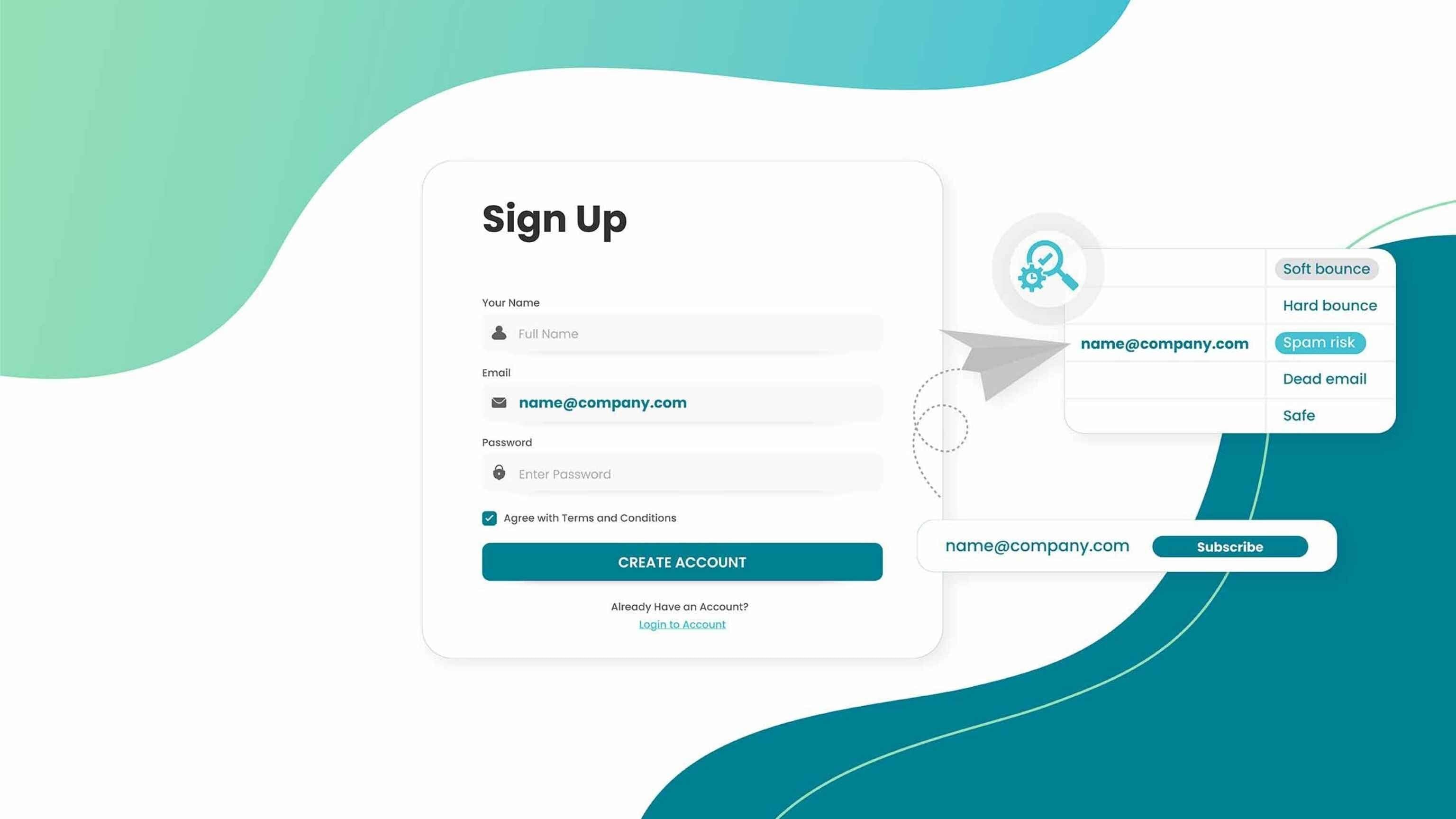
Modern validation combines multiple email checks to evaluate quality, risk, and usability. These checks work together across cloud systems to assess emails at scale. Validation does not rely on one signal but on layered analysis designed for accuracy.
1. Syntax And Format Validation
Syntax and format validation checks whether an email address follows accepted structural rules. It confirms proper placement of characters, symbols, and domain format before deeper validation occurs. This step removes obvious errors early and prevents unnecessary processing of addresses that are clearly invalid.
How You Should Use It
- Use it as an initial filter to catch typing mistakes.
- Never treat a pass here as confirmation of deliverability.
Example
An address like john..doe@company is flagged immediately, preventing it from entering the list.
2. Domain Existence And DNS Check
This check verifies whether the domain linked to an email address actually exists and can be resolved through DNS. It confirms that the domain is active and reachable, reducing the risk of sending messages to addresses tied to inactive or non-existent domains.
How You Should Use It
- Treat this as confirmation of domain presence, not inbox readiness.
- Combine it with MX and server response checks before sending.
3. MX Record Validation
MX record validation checks whether a domain is configured to receive emails. Even if a domain exists, missing or misconfigured mail exchange records mean emails cannot be delivered. This step ensures that email routing is technically possible.
How You Should Use It
- Consider failure here a hard stop for sending.
- Remove or suppress addresses tied to domains without MX records.
Example
A domain loads correctly in a browser but lacks MX records, making email delivery impossible.
4. Mail Server Response Check
Mail server response checks evaluate how receiving servers react to validation requests. They help determine whether an address is accepted, rejected, or blocked without sending an actual message. This provides insight into deliverability while avoiding spam triggers.
How You Should Use It
- Read acceptance as possible delivery, not certainty.
- Interpret rejections carefully, as some servers restrict validation probes.
5. Catch-All Domain Detection
Catch-all detection identifies domains that accept all email addresses regardless of validity. These domains return positive responses even for non-existent inboxes, which can mislead validation results. Flagging them helps teams apply caution before sending campaigns.
How You Should Use It
- Treat these addresses as uncertain rather than safe.
- Use controlled sending and monitoring for these segments.
6. Disposable Email Detection
Disposable email detection identifies temporary inboxes often used for one-time access or testing. These addresses typically expire quickly and rarely engage with emails. Removing them helps protect list quality and ensures more reliable engagement metrics.
How You Should Use It
- Exclude these addresses when long-term communication matters.
- Allow them only when short-term access is acceptable.
Example
A trial signup uses a temporary inbox that expires within hours, making follow-up impossible.
7. Role-Based Email Identification
Role-based email identification flags addresses linked to shared inboxes such as support or admin accounts. While these emails may be valid, they often behave differently from personal inboxes and may impact response rates or campaign relevance.
How You Should Use It
- Use role-based addresses for operational communication.
- Avoid them in campaigns that rely on personalization or engagement.
8. Spam Trap Risk Analysis
Spam trap risk analysis evaluates whether an email address matches patterns commonly associated with spam monitoring systems. Sending to such addresses can damage reputation and deliverability. Identifying these risks helps prevent long-term inbox placement issues.
How You Should Use It
- Treat high-risk signals as exclusion criteria.
- Do not attempt gradual warming or testing with these addresses.
9. Real Time Validation During Submission
Real time validation checks email addresses as users enter them into forms or apps. This prevents incorrect or risky data from entering systems at the source and improves overall data quality without requiring later cleanup.
How You Should Use It
- Apply it where access, automation, or account actions depend on accuracy.
- Pair it with user-friendly correction prompts.
Example
A user types gamil.com instead of gmail.com, and the error is corrected instantly.
10. Bulk Email Validation For Existing Lists
Bulk email validation processes entire email lists at once. It is commonly used for cleaning imported contacts, older databases, or large campaigns. This approach reduces bounce rates and improves performance before sending emails at scale.
How You Should Use It
- Run it before major sends and re-engagement campaigns.
- Use it after importing lists from any external source.
Email validation works best when it is treated as an ongoing discipline, not a one-time cleanup. Each check clarifies a different risk, and together they create a system you can trust.
Once these checks are in place and used correctly, the real value comes from deciding how to act on the results, which is where the next section focuses its attention.
8 Next Steps You Should Take After Email Validation
Validation only provides results. Action determines impact. After validation, teams must decide how to handle valid, invalid, and risky emails. These steps help maintain healthy lists, improve sending outcomes, and prevent future issues from recurring.
1. Keep Valid Emails Active
Valid emails should remain active in your lists and workflows. These addresses form the foundation of reliable campaigns and accurate reporting, making them the primary focus for engagement and segmentation efforts.
Why This Matters
These contacts represent confirmed, usable inboxes that support consistent delivery and meaningful engagement.
What To Do
- Keep these addresses active across campaigns and automation.
- Update preferences and status as user behavior changes.
2. Remove Invalid And Non-Existent Emails
Invalid and non-existent emails should be removed immediately. Keeping them increases bounce rates and harms deliverability, even if only a small percentage of a list is affected.
Why This Matters
Repeated delivery failures weaken sender trust signals and affect future inbox placement.
What To Do
- Remove confirmed invalid addresses as soon as validation identifies them.
- Do not wait for repeated bounces to justify cleanup.
Example
A list shows a handful of hard bounces after validation. Removing them immediately prevents the same failures in future sends.
3. Suppress Risky Or Unknown Addresses
Risky or unknown addresses should be suppressed rather than deleted. This allows teams to avoid immediate sending while retaining the option to revalidate or reassess them later.
Why This Matters
These addresses introduce uncertainty without offering clear value.
What To Do
- Hold these contacts out of active campaigns.
- Revalidate later if the source or context changes.
4. Handle Catch-All Domains With Caution
Emails from catch-all domains should be treated carefully. While technically valid, they carry uncertainty and should not be sent high-volume campaigns without additional filtering or testing.
Why This Matters
Catch-all responses do not confirm that a real inbox exists.
What To Do
- Limit sending volume to these domains.
- Monitor engagement before expanding usage.
Example
A segment appears valid but shows uneven engagement. The cause is a catch-all domain behaving unpredictably.
5. Review Role-Based And Disposable Emails
Role-based and disposable emails require manual review. Depending on goals, some may still be useful, while others should be excluded to protect engagement quality.
Why This Matters
Not all valid addresses serve the same purpose.
What To Do
- Retain role-based emails for operational communication.
- Exclude disposable emails when long-term engagement matters.
6. Segment Cleaned Lists Before Sending
After validation, lists should be segmented based on status and risk level. This improves targeting, protects sender reputation, and allows more controlled sending strategies.
Why This Matters
Segmentation turns validation results into practical control.
What To Do
- Create separate segments for valid, suppressed, and uncertain addresses.
- Adjust volume and messaging for each group.
7. Monitor Bounce And Complaint Rates
Monitoring bounce and complaint rates after validation helps confirm its effectiveness. Unexpected spikes may signal issues with validation rules or list sources.
Why This Matters
Post-send behavior reveals whether validation decisions were correct.
What To Do
- Track trends across campaigns, not single sends.
- Investigate changes early before patterns settle.
Example
A campaign performs well, then bounce rates rise the next week. The signal points to a list source issue, not content quality.
8. Revalidate Periodically To Maintain List Quality
Email lists degrade over time as addresses change or expire. Periodic revalidation helps maintain accuracy and prevents gradual declines in performance.
Why This Matters
A list that was clean once does not stay clean forever.
What To Do
- Revalidate based on list growth and sending frequency.
- Avoid assuming past accuracy guarantees future results.
Once these steps are followed consistently, validation becomes a routine discipline rather than a corrective task, which keeps email performance steady over time.
Conclusion
Email validation only creates value when it becomes part of everyday practice. Clean data is not a one-time outcome, it is the result of consistent decisions made before and after every send. When validation is treated as routine discipline, email systems stay predictable and performance stays stable.
The path forward is simple. Apply validation where data enters, respect the signals each check provides, and adjust how lists are used over time. With that structure in place, email stops being reactive and starts working as a reliable channel you can build on.