.svg)
.svg)
.svg)
Why Mid-Market Teams Leave HubSpot, and What We Mean by a Replacement
Mid-market teams usually do not switch because of one missing feature. The breakpoint is more often structural: pricing escalation as more seats or capabilities are added, feature gating that pushes core needs into higher tiers, and contract lock-in that makes partial adoption expensive. That combination turns a software complaint into an operating decision. Before comparing any alternative, the team has to define its replacement scope so the next step is a fit decision rather than a hunt for the cheapest substitute.
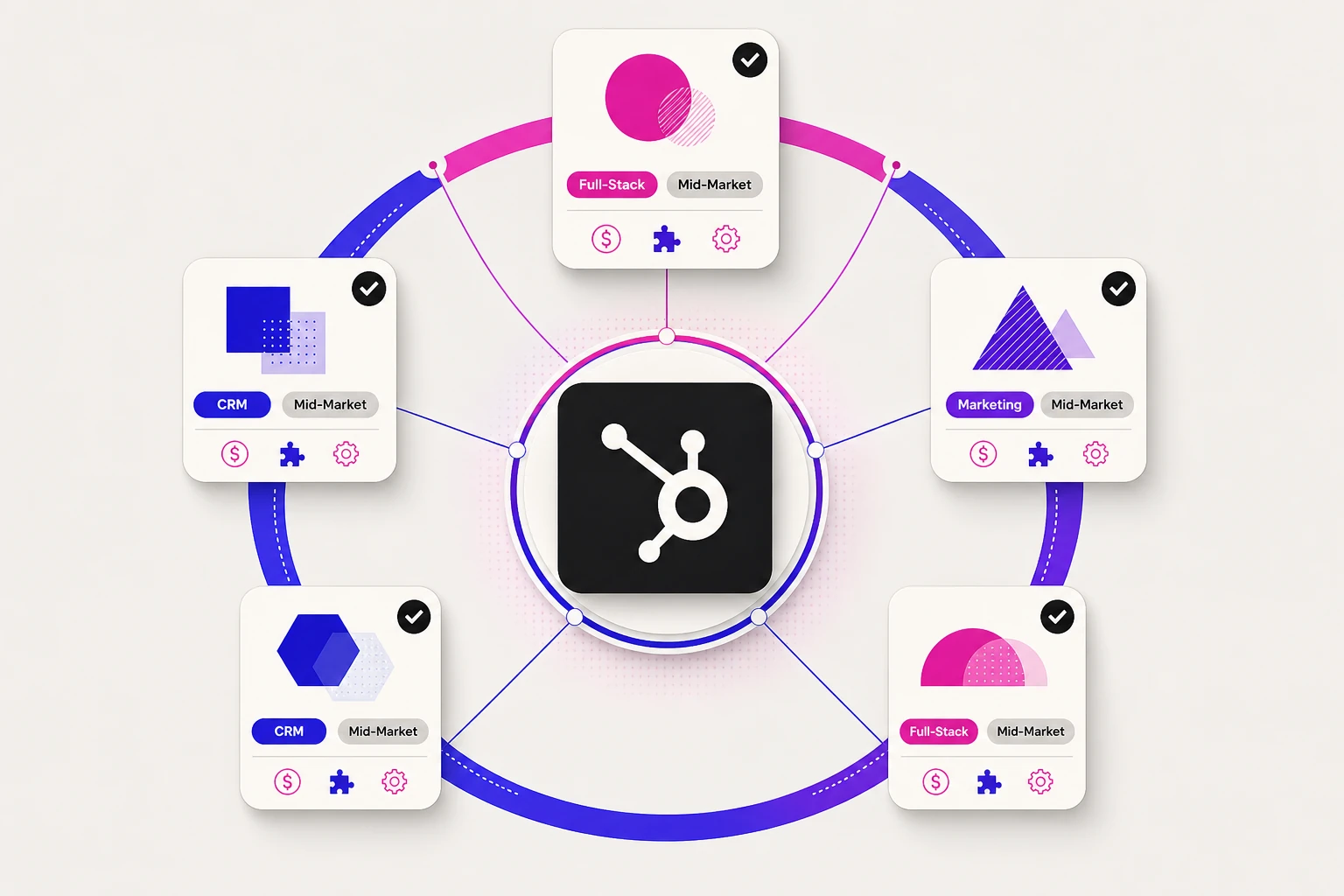
When You Need a HubSpot CRM Alternative vs an Email Marketing or Full-Stack Replacement
Replacement scope comes first. A CRM-led replacement is mainly about contact management, pipeline control, and day-to-day sales work, with HubSpot CRM as the reference point rather than the whole stack. A marketing-led replacement is narrower: the pain sits in email marketing, campaign automation, and audience execution rather than the sales record. A full-stack replacement means the team wants one coordinated system for sales, marketing, and adjacent workflows, so the decision has to be read through broader operating fit. That lens matters in the at-a-glance comparison later in the article, because a stronger email marketing tool and a broader HubSpot CRM replacement do not solve the same operating problem.
How We Tested These HubSpot Alternatives for Mid-Market Teams
The shortlist was judged with a hands-on rubric built for mid-market operating reality, not for headline breadth alone. Each tool was assessed across six criteria: functional coverage, automation and reporting depth, adoption and administration burden, integrations, pricing flexibility, and scalability with governance controls. Weak evidence did not receive the benefit of the doubt. If an advanced claim could not be supported clearly, it was treated as unproven. That matters here because pricing pressure and contract rigidity tend to hurt this audience before pure feature scarcity does.
CRM and Marketing Functionality
A credible replacement had to cover core CRM software needs for sales and marketing teams without immediately forcing a second purchase. The review looked at contact records and sales pipelines first, then weighed how far the same system could support marketing teams through campaign execution or a broader marketing automation platform role. Tools were judged on practical sales and marketing coverage, not feature lists alone.
Automation and Reporting Depth
Capability claims counted only when they held up in operation. The rubric looked for sales automation and automation features that could automate repetitive tasks without heavy workarounds, along with reporting and analytics that helped teams track sales performance through usable reporting features and reporting and analytics dashboards. Analytics capabilities mattered only when they supported decisions instead of burying visibility behind setup complexity.
Ease of Adoption and Administration
Mid-market teams can absorb some setup work, but they rarely have room for constant cleanup or specialist dependence. This criterion focused on how quickly a team could become productive, whether the intuitive interface held up under daily use, and how much ongoing admin work was required to keep repetitive tasks and workflows under control.
- Time to reach a usable baseline for core processes
- Amount of manual upkeep needed after launch
- Clarity of the interface for non-specialist admins
Integrations and Ecosystem Fit
A credible replacement had to fit the surrounding operating stack, not just improve one interface. This criterion examined whether the platform could connect customer data cleanly with the apps and integrations a mid-market team already depends on, and whether those connections could support routine operations without creating another layer of reconciliation.
Pricing and Contract Flexibility
Cost pressure carried extra weight because many teams start this search after expansion economics stop making sense. The rubric looked beyond the entry number and asked how pricing behaves as usage grows, whether value holds up on a per user month basis, and how contract rigidity raises switching risk when the fit is only partial.
- How quickly costs rise with added users or capabilities
- Whether useful functionality sits behind forced upgrades
- How much commitment risk the contract creates
Scalability and Governance
Growth only helps if the system stays governable. The final criterion asked whether a tool could organize customer data for medium businesses as teams, roles, and process complexity increase, while preserving visibility and control. The standard was not size alone, but whether customer data could scale without weakening oversight.
HubSpot CRM Alternatives at a Glance: Pricing, Fit, and Replacement Scope
The shortlist splits quickly between broader replacements and lighter HubSpot CRM swaps. In the comparison below, pricing, fit, and replacement scope work as directional filters, especially for teams deciding whether they need a CRM-led change or broader coverage that reaches beyond Sales Hub and Service Hub.
Salesforce, Freshsales Suite, and Insightly make more sense when the buyer wants broader coverage or a clearer path across sales, marketing, and adjacent operations. Zoho CRM, Pipedrive, Monday CRM, and Copper are more naturally CRM-led options, but they solve different constraints: Zoho CRM leans toward cost-conscious breadth, Pipedrive toward fast pipeline control, Monday CRM toward configurable team workflows, and Copper toward Google Workspace adoption. ActiveCampaign sits apart because its value rises when email execution and automation matter more than replacing a full CRM system of record.
Direct price comparisons can mislead. Some HubSpot CRM alternatives are seat-based, some expand through add-ons, and ActiveCampaign scales by contacts rather than standard per-user CRM logic. Even a free CRM entry point may matter more for a pilot than for a mid-market rollout. Use the table to cut the field to two or three realistic paths, then use the detailed reviews to judge tradeoffs against the HubSpot CRM baseline rather than look for one universal substitute.
Top HubSpot Alternatives From Our Tested Shortlist
The shortlist is best read as a set of different operating answers to the same problem, not just another list of top HubSpot alternatives. Some teams need a HubSpot alternative with deeper governance and admin control. Others need lower cost, stronger marketing automation, or a cleaner CRM rollout with less upkeep. Each detailed review follows the same cluster: tested verdict, pull-ahead logic, pricing posture, and best-fit cue. Read the entries that follow as consistent verdict clusters answering different kinds of HubSpot replacement pressure, not as variations of one universal winner or a narrowed top 5 alternatives to HubSpot view. The scored comparison brings those tradeoffs into one view, using HubSpot as the benchmark reference point while keeping the tested shortlist focused on eight approved tools separated by scope, admin burden, and expansion path.
Each option was scored on the evidence for every criterion on a 1 to 5 scale, then combined into a weighted total using the following criterion weighting: Ease of adoption and administration (0.16), Scalability and governance (0.06), CRM and marketing functionality (0.28), Automation and reporting depth (0.22), Integrations and ecosystem fit (0.16), Pricing and contract flexibility (0.12). Weighting and scoring were computed from the cited sources, not estimated.
Benchmark (not ranked): HubSpot is the incumbent reference point that the ranked options below are compared against.
| Rank | Option | Weighted score |
|---|---|---|
| 1 | Freshsales Suite | 4 |
| 2 | Insightly | 3.82 |
| 3 | ActiveCampaign | 3.79 |
| 4 | Zoho CRM | 3.74 |
| 5 | Monday CRM | 3.67 |
| 6 | Salesforce | 3.4 |
| 7 | Pipedrive | 3.33 |
| 8 | Copper | 3.16 |
| Option | Ease of adoption and administration | Scalability and governance | CRM and marketing functionality | Automation and reporting depth | Integrations and ecosystem fit | Pricing and contract flexibility |
|---|---|---|---|---|---|---|
| Freshsales Suite | 4 | 4 | 4 | 4 | 4 | 4 |
| Insightly | No grounded evidence | 4 | 4 | 4 | No grounded evidence | 3 |
| ActiveCampaign | No grounded evidence | 4 | 3 | 5 | 4 | 3 |
| Zoho CRM | No grounded evidence | 4 | 3 | No grounded evidence | 4 | 5 |
| Monday CRM | No grounded evidence | 4 | 3 | 4 | 4 | 4 |
| Salesforce | 2 | 5 | 4 | 4 | No grounded evidence | 2 |
| Pipedrive | No grounded evidence | 3 | 3 | 3 | 4 | 4 |
| Copper | 4 | 3 | 3 | 3 | 3 | 3 |
Sources: salesforce.com; salesforce.com; g2.com; salesforce.com; help.salesforce.com; help.zoho.com; zoho.com; help.zoho.com; support.pipedrive.com; support.pipedrive.com; pipedrive.com; help.activecampaign.com; help.activecampaign.com; help.activecampaign.com; freshworks.com; freshworks.com; freshworks.com; freshworks.com; monday.com; support.monday.com; monday.com; monday.com; support.monday.com; copper.com; copper.com; copper.com; copper.com; insightly.com; support.insight.ly; insightly.com; support.insight.ly
Evidence coverage: 83% of the entity-by-criterion cells were backed by grounded evidence; cells without sufficient evidence were excluded from the weighted totals rather than guessed.
The governing choice is not the highest-looking score in isolation. It is the tradeoff among scope, admin burden, and expansion path that created the switch pressure in the first place. Some tools are broader operating platforms, some are narrower specialists, and some gain ground because they align better to marketing-heavy use cases or lower-overhead rollout. Several also add AI powered capabilities, but that rarely governs the decision. Use this view to identify which cluster matches the real constraint, then move into the tool-by-tool verdicts with that filter in mind.
Salesforce for Teams That Need Deep CRM Control Beyond HubSpot
Some teams leave HubSpot because the issue is not missing features. It is governance. Salesforce fits that path when the CRM must support stricter control over pipelines, permissions, and administrative change, even if that comes with a heavier operating burden. In the scored comparison above, it represents the governance-heavy alternative rather than the cost-relief option.
Hands-On Verdict
This was the clearest example of depth carrying a cost. In testing, Salesforce felt built for teams that already accept process discipline: more setup, more decisions about structure, and more administrative overhead before the system becomes decision-ready. Once that structure is in place, the payoff is real control. Without an admin-capable team, the same depth can turn into drag.
Where It Pulls Ahead of HubSpot
The advantage is formal control inside the CRM platform. Salesforce gives teams more structured permissions, permission sets, and sandbox-based change management, which matters when sales processes cannot depend on informal admin workarounds. Optional governance and security layers also make more sense here than they do in lighter systems. The issue is not more features for their own sake. It is tighter oversight.
What Pricing Looks Like
Expect premium pricing rather than budget relief. Salesforce is priced on a per user month basis at the seat level, and higher tiers are commonly tied to annual billing, so the real cost question is not entry price alone but how much administration and governance the team actually needs. For many mid-market buyers, this is justified only when deep control is a requirement.
Best Fit for Mid-Market Teams
Salesforce fits mid-market teams with complex pipelines, multiple approval layers, and enough internal capacity to run a governed CRM environment well. It is a stronger match when leaders are evaluating enterprise solutions in spirit, even if the company is not yet operating at enterprise scale. Lean teams that want fast rollout, low upkeep, and lighter process design will usually feel the overhead first. The right standard is not affordability. It is whether control justifies complexity.
Zoho CRM for Budget-Sensitive Teams That Still Need Breadth
Zoho CRM answers a different HubSpot frustration. The pressure here is not governance depth but economic breadth. It gives cost-conscious teams a wider CRM footprint and a broader suite path without asking them to buy into premium polish first. In the comparison above, this is the value-first CRM path: broad coverage, lower spend, and a greater tolerance for rougher edges.
What Stood out in Testing
breadth showed up quickly in testing, and so did the tradeoff. Zoho covered a surprising amount of CRM ground for the expected spend, but the experience felt less refined and less immediately intuitive than higher-priced options. That does not make it weak. It makes it a system that asks teams to accept some roughness in exchange for economic coverage.
Where It Pulls Ahead of HubSpot
Zoho gains ground when the team wants breadth across CRM tools and adjacent marketing tools without stepping into HubSpot's cost profile. Lower-cost entry, flexible billing, a free three-user tier for small pilots, and a broader first-party ecosystem all reinforce that value case. The advantage is not premium finish. It is how much operating coverage a budget-sensitive team can access before costs start to climb.
What Pricing Looks Like
Zoho's pricing posture is more flexible and generally more budget-friendly than HubSpot's. Monthly or yearly billing keeps commitment options wider, and the value case depends more on broad usable coverage than on polished presentation. That makes price easier to defend when the team wants a capable CRM without moving into a premium operating model.
Best Fit for Mid-Market Teams
Zoho is a sensible fit for mid-market teams that need breadth, watch spend closely, and can tolerate a less polished experience if the coverage is there. That includes small businesses growing into a more structured CRM, small to medium businesses that want room to expand inside one vendor ecosystem, and medium businesses trying to avoid premium platform costs before process maturity demands them. Teams that care most about immediate simplicity, cleaner UX, or a more premium operating feel may rule it out early. That contrast sets up the next question: whether a narrower sales-led or marketing-led alternative fits better than either broad CRM path.
Pipedrive for Sales Teams That Want Less Admin and Faster Pipeline Control
Some teams do not need broader replacement coverage. They need a sales-led partial replacement that keeps reps moving and strips away administrative drag. In that lane, Pipedrive stands out as a sales automation platform for sales teams when the operating gap is pipeline discipline, not marketing breadth.
What Stood out in Testing
The immediate advantage was clarity. Pipeline management felt visible at a glance, and common sales workflows took less setup to reach a usable state than in a broader system. That made sales pipeline management easier to govern in practice: stage movement, follow-up discipline, and rep-level sales management were easy to read without much configuration. The trade-off was equally clear. Once the evaluation moved beyond core pipeline work, the narrower scope showed up quickly.
Where It Pulls Ahead of HubSpot
Its edge is focus. Pipedrive pulls ahead when a team wants pipeline management and sales workflows without paying for a broader suite overhead. That structure also helps teams automate sales workflows inside a sales platform centered on deals, stages, and rep activity. For buyers who want clearer pipeline control with less overhead, the narrow design is the advantage.
What Pricing Looks Like
Pipedrive is positioned as a more accessible option for sales-centric teams than HubSpot. The lower entry cost reflects narrower default scope, with campaigns, lead generation, or project work added separately if needed. Pricing stays attractive for focused sales execution, but add-ons can complicate the value story.
Best Fit for Mid-Market Teams
This is the right fit when a mid-market team wants pipeline-first simplicity and can live with partial replacement scope. It suits sales-led groups that need faster rollout, lighter administration, and clearer control over day-to-day execution more than they need deep marketing automation. If marketing automation remains central, the limits matter quickly. The value appears when the operational gap is sales focus, not broader orchestration.
ActiveCampaign for Teams That Need Stronger Email Marketing and Automation
The strain can run the other way. When the operating gap sits in campaign execution, segmentation, and lifecycle logic, a marketing-led partial replacement can beat a broader CRM answer. ActiveCampaign fits that rule: it is built around email marketing and deeper automation, not CRM breadth.
What Stood out in Testing
Automation depth showed up immediately. Building audiences, splitting logic by behavior, and connecting follow-up steps across marketing campaigns felt more natural here than in a broader suite. The operational gain was clear: marketing automation tools stayed close to segmentation and execution, even though the CRM side felt secondary.
Where It Pulls Ahead of HubSpot
Its advantage is depth inside the marketing layer. ActiveCampaign pulls ahead when the team needs stronger marketing automation, more responsive customer engagement, and more ways to shape email marketing around customer behavior through email marketing tools and related marketing tools. That wider set of marketing automation capabilities supports a more personalized customer experience across channels such as email, SMS, and WhatsApp. For teams prioritizing campaign execution over CRM breadth, that shift matters.
What Pricing Looks Like
ActiveCampaign can look attractive early, especially for teams thinking in contact volume and campaign execution rather than CRM seats. The pricing logic is different from a sales-led platform because cost can rise as contact counts grow and add-ons expand the setup. Price depends more on automation intensity than simple user count.
Best Fit for Mid-Market Teams
ActiveCampaign fits mid-market marketing teams that treat lifecycle automation, segmentation, and multichannel engagement as the primary operating gap. It is a strong choice when the business can accept a marketing-led partial replacement and does not need the CRM to carry the full weight of governance, forecasting, and system-of-record discipline. It is a weaker fit when sales leadership wants the central platform to organize pipeline control first and layer marketing second. After these two specialists, the next question is whether broader coverage can return without giving up too much focus.
Freshsales Suite for Teams That Want CRM, Marketing, and Service in One Stack
Some teams leave HubSpot without wanting a narrower specialist. They want fewer handoffs and more manageable one stack coverage across revenue work. Freshsales Suite fits that middle ground as a cohesion-first suite: sales and marketing share one interface, while service continuity can extend through the Freshworks ecosystem when customer support platform context matters. The appeal is connected customer conversations and customer experience, not category-leading depth in every module or a pure all in one CRM pitch.
What Stood out in Testing
The main shift in testing was continuity. customer interactions were easier to follow because sales and marketing activity stayed in the same working environment, which reduced context switching during routine handoffs.
In practice, the value showed up when a team moved from lead capture to follow-up without rebuilding the thread across tools. That does not make every function equally deep, but it does make shared visibility around sales and marketing feel cleaner.
Where It Pulls Ahead of HubSpot
Freshsales pulls ahead when the buying problem is consolidation, not specialist depth. It keeps sales and marketing together with simpler package logic than a stitched stack. It also gains ground when customer inquiries and customer requests need to stay visible across teams through the Freshworks ecosystem and Freshdesk connection rather than through deep native service coverage. The result is clearer continuity and enough customer service capabilities for connected follow-through.
What Pricing Looks Like
The pricing case is mid-range rather than bargain-led. Freshsales makes more sense when a team wants to consolidate sales, marketing, and some service continuity into one manageable system. The value improves as replacement scope widens and consolidation value starts to outweigh separate tools.
Best Fit for Mid-Market Teams
Freshsales fits mid-market teams that want one system to carry the core rhythm of revenue operations. That usually means sales, marketing, and customer service teams need shared visibility, but no department needs the deepest specialist tool.
It is a stronger match when leaders want manageable one-stack coverage and cleaner handoffs for customer support agents and service teams. It weakens when one function alone will Drive the buying decision.
Monday CRM for Teams That Want Flexible Workflows Without HubSpot's Tier Jumps
Monday CRM solves a different form of HubSpot friction. It leans on adaptable process design, making it a workflow-flexibility alternative for teams that care more about how work moves across functions than about deep traditional CRM structure. It serves as a broader operational option for collaborative teams that want configurable pre-sale and post-sale coordination.
What Stood out in Testing
What stood out was how quickly the platform could mirror an existing process instead of forcing a fixed CRM model. Boards, stages, and follow-up steps were easier to adapt around how teams already coordinated work.
The gain was operational clarity. A team could shape handoffs across pre-sale work, approvals, and post-sale follow-through without turning every task into a classic CRM record. That flexibility helped with visibility while leaving open how much deeper CRM structure the team would eventually need.
Where It Pulls Ahead of HubSpot
Monday pulls ahead when HubSpot feels too rigid for cross-functional process design. Its advantage is flexible workflow automation, clearer seat-based entry logic, and a stronger coordination feel for teams that need marketing tasks, approvals, and pipeline work visible in the same operating layer. That does not make it a deeper classic CRM. It makes it a better fit when workflow visibility matters more than formal sales structure.
What Pricing Looks Like
The entry posture is straightforward, with seat-based pricing and a 3-user minimum, but the real budget question sits higher in the stack. Monday can look attractive early, yet the value changes if the team needs more advanced automations or controls from upper tiers.
Best Fit for Mid-Market Teams
Monday CRM fits mid-market teams that see revenue work as a coordination problem before a classic CRM architecture problem. That usually means collaborative groups spanning sales, operations, and post-sale execution want shared process visibility but do not need the deepest forecasting model or the heaviest admin structure.
Monday is strongest when the team wants configurable workflows, cleaner handoffs, and a system that can model how work moves across people and stages. It is less convincing when CRM depth, advanced marketing automation, or formal control layers have to anchor the stack. Choose Monday when flexibility is the operating priority, then narrow the remaining options by whether Google Workspace simplicity or delivery alignment is the real deciding factor.
Copper for Teams That Want a Lighter CRM Built Around Google Workspace
The remaining shortlist options solve narrower operating problems. Copper fits the team that wants a Google Workspace-centered CRM, fast adoption, and less administrative overhead, not a broad replacement for HubSpot across marketing, service, and governance. In the system-rendered comparison above, its case is strongest when Gmail, Calendar, and Drive already anchor daily work and the main goal is simpler pipeline control rather than wider platform coverage.
What Stood out in Testing
Familiarity carried most of the value here. Copper felt built for teams that already live in Google Workspace, so basic contact and deal work stayed close to the inbox and Calendar rhythms sales teams already use to manage customer relationships. That made the product feel approachable quickly, but the tradeoff was just as clear: once the evaluation shifted toward broader coordination, the simplicity-first alternative showed its ceiling.
Where It Pulls Ahead of HubSpot
Copper pulls ahead when the switching logic is adoption speed inside Google Workspace, not broader control. Its advantage is lower-friction use around Gmail, Calendar, and Drive, plus a lighter CRM scope that asks less of the team up front. For Gmail-native teams, that can matter more than extra platform breadth because the operating model stays close to habits that already work.
What Pricing Looks Like
Copper's pricing is easiest to justify when Google-native convenience replaces complexity, the team never wanted in the first place. The posture is transparent and per seat, but the value case narrows quickly if the buyer also needs broader marketing coverage, heavier controls, or multi-function oversight. Price is not the main argument here. Fit is.
Best Fit for Mid-Market Teams
Copper fits mid-market teams that are genuinely simple in structure and deeply committed to Google Workspace. The right buyer wants a lighter system for pipeline management, quick user uptake, and cleaner day-to-day execution, not a wider replacement program. It is a weak fit when leadership expects stronger governance, broader service coverage, or meaningful marketing expansion from the same platform. In other words, this is the shortlist's narrowest credible replacement scope, but it is still credible when simplicity is the requirement.
Insightly for Teams That Need a More Manageable CRM With Project Delivery Alignment
Insightly answers a different constraint. It is a delivery-aligned CRM for teams that do not need a heavy enterprise buildout but do need clearer continuity after closed won, especially when the sale turns into implementation, service work, or recurring delivery. In the system-rendered comparison, its case is less about marketing breadth and more about keeping the handoff from pipeline to execution visible inside one more manageable operating model that can also support customer satisfaction over time.
Hands-On Verdict
The practical appeal was not flashiness. It was control without heavy overhead. Insightly felt more manageable than larger CRM stacks, and its structure made more sense once the test moved beyond opportunity tracking and into what happens after the deal closes. That made the pipeline-to-delivery continuity feel real rather than theoretical, especially for teams that care about execution follow-through as much as new pipeline creation.
Where It Pulls Ahead of HubSpot
Insightly pulls ahead when post-sale visibility is part of the buying decision. Its edge is better continuity from sale to delivery or project work, paired with a more manageable feel than heavier CRM platforms. That matters for service-led teams because the CRM does not stop being useful at Closed-Won. It stays connected to the work that shapes delivery quality and, over time, customer satisfaction.
Pricing Snapshot
Insightly sits in a mid-tier pricing posture, and the value improves when project management needs are close enough to the CRM that separate project management tools become less necessary. If that delivery link is central, the spend can consolidate work that would otherwise sit across multiple systems. If not, the pricing case becomes more ordinary.
Best Fit for Mid-Market Teams
Insightly fits mid-market teams that sell work, then have to deliver it with the same records still in view. That usually means service-oriented firms, implementation-led groups, or project based teams that want the CRM to support both pipeline discipline and downstream execution. It is less compelling for buyers whose main priority is advanced marketing depth, and it is not the right simplicity-first alternative for teams that only want the lightest possible sales tool. With the shortlist now complete, the decision should shift from product descriptions to operating constraints, because the right choice depends on team size, budget pressure, admin capacity, and whether CRM depth or marketing priority drives the switch.
Which Alternative to HubSpot Fits Your Team Best
The final choice usually gets clearer once the shortlist is filtered through operating reality instead of surface breadth. The system-rendered comparison shows where each option fits, but the better decision comes from matching an alternative to HubSpot against team structure, budget tolerance, and the gap that actually needs solving. For most mid-market buyers, the best HubSpot alternative fits business needs without creating more administrative strain than the team can absorb.
Choose by Team Size, Budget Pressure, and Admin Capacity
Operational burden matters as much as feature coverage. Smaller revenue teams usually need a system that keeps pipeline work visible and workflow changes manageable without turning every adjustment into an admin project.
In that context, Pipedrive, Copper, and Monday CRM fit teams that need faster coordination and lighter day-to-day control. Zoho CRM and Freshsales Suite sit closer to the middle: broader coverage, but still realistic for teams that need more structure without taking on enterprise-level governance.
The decision changes when the team has more internal ownership or stricter governance needs. Salesforce makes more sense when the business can support heavier configuration and tighter process control. Insightly also fits teams that want CRM structure aligned with downstream delivery. The issue is not feature volume alone. It is whether the operating model can carry the system.
Choose by CRM Depth vs Marketing Automation Priority
Once the admin capacity filter is clear, the remaining choice is functional priority. Some teams need stronger CRM control. Others are reacting to limits in marketing automation, campaign logic, or cross-stage nurture.
If CRM depth is the main requirement, the shortlist narrows toward Salesforce for deeper process control, Zoho CRM for broader value under tighter budget pressure, or Pipedrive for cleaner pipeline execution with less overhead. If the team works inside Google Workspace and wants a lighter sales system, Copper can also fit.
If marketing execution is the primary reason to switch, ActiveCampaign deserves closer attention because email depth, segmentation logic, and automation design matter more than pure CRM administration. Freshsales Suite is the more balanced path when the team wants CRM, service, and marketing coverage in one stack. Monday CRM fits teams that value workflow flexibility and coordination across functions, especially when customer feedback needs to stay visible in one place.
That leaves a practical rule. Choose for the constraint that will shape daily use, not for the longest feature list. A fit-based selection starts with admin capacity, then resolves around CRM depth versus marketing automation priority.